
Google Search Console has always been a website-only tool. If you didn't own a domain, you had no official way to know whether Google Search was sending anyone to your Instagram Reels, TikTok clips, or YouTube uploads. That changed in 2026. Google has rolled out platform properties, a new Search Console feature that lets creators and brands verify a social or video account — Instagram, TikTok, X, or YouTube — and see exactly how that content performs on Google Search and Discover.
This guide walks through what the feature is, how it evolved from an earlier December 2025 experiment, how to set it up, and how to actually use the data to grow your reach.
This article covers:
What the new social media feature in Google Search Console is and how it works
Introduction to platform properties and what data they provide (clicks, impressions, search queries)
Timeline: from the December 2025 “Social Channels” experiment to the 2026 global rollout
Platform Properties vs. Social Channels: key differences and why it matters
Supported platforms (Instagram, TikTok, X, and YouTube) and current limitations
Step-by-step guide to setting up a platform property in Search Console
Reports available: Performance, Insights, and Achievements
Why this feature matters for SEO, creators, and social-first content strategies
How to use the data for growth (trending queries, content ideas, cross-platform insights)
Key limitations, data gaps, and things to consider before relying on it
FAQs, use cases, and how this changes Search Console for creators
What Is the New Social Media Feature in Google Search Console?
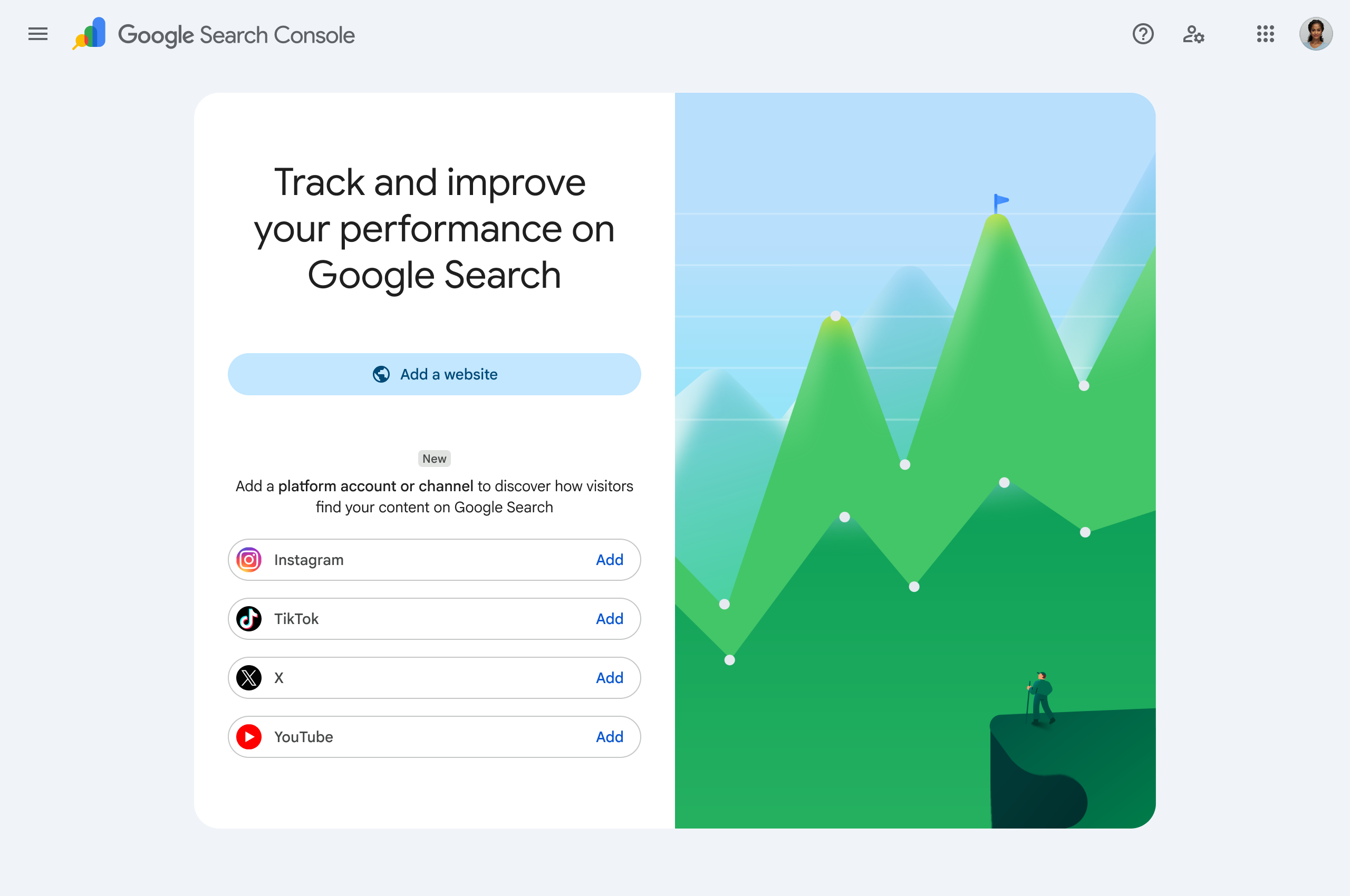
Image Credit: Google
The new feature is called platform properties. It is a Search Console property type that reports on how content published to Instagram, TikTok, X, and YouTube performs specifically in Google Search results, Google Discover, and Google News — separate from how it performs inside the social platform itself.
In plain terms: once you verify your account as a platform property, Search Console shows you the exact search terms that lead people to your social posts, how many clicks and impressions those posts earned on Google, and which of your videos or posts are trending in Search right now. It is the same click-and-impression data website owners have relied on for years, now attached to individual social and video posts instead of website pages.
Google's Search Console product lead, Moshe Samet, announced the feature on the Google Search Central Blog, describing it as a way to help site owners and creators — even those without a website of their own — get a consolidated view of how their content is discovered on Search.
A Quick Timeline: From "Social Channels" to "Platform Properties"
To understand today's feature, it helps to see how Google built up to it in three stages over the past eight months.
Stage 1 — December 2025: The Social Channels Experiment
On December 8, 2025, Google introduced an experimental update to the Search Console Insights report. For a limited set of websites, Insights began pulling in performance data for social channels that were automatically detected as being associated with a verified website. Site owners were prompted, inside their existing Insights report, to add the social channels Google had already linked to their domain.
This early version surfaced five familiar categories of data for each connected channel:
Total reach — total clicks and impressions driving traffic from Google to the social channel
Content performance — top-performing social pages, plus which ones were trending up or down
Search queries — the top and rising search terms leading users to the social profile
Audience location — the countries where people clicked through to the channel from Google Search
Additional traffic sources — clicks arriving through Image Search, Video Search, News Search, and Discover
The catch: this only worked if you already owned a verified website, and only for channels Search Console recognized on its own. Creators without a website had no way to participate at all.
Stage 2 — July 7, 2026: Platform Properties Launch
Roughly seven months later, Google turned that experiment into a permanent, self-service feature called platform properties. Unlike the 2025 version, platform properties do not require a website. Anyone who controls an eligible Instagram, TikTok, X, or YouTube account can add it directly as its own Search Console property and verify ownership through the platform's own login flow.
Stage 3 — Late July 2026: Global Rollout and an Official Analysis Guide
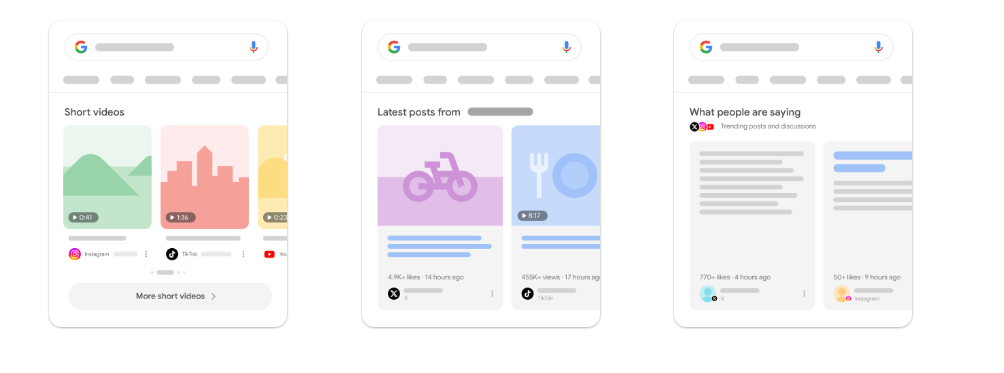
By July 29–30, 2026, Google confirmed that platform properties had become globally available to all users, closing out the gradual rollout that began earlier that month. Alongside that announcement, Google published a companion guide dedicated to analyzing social and video performance data inside Search Console — aimed at content creators, social media managers, and SEO professionals who want to turn the new reports into an actual content strategy.
Platform Properties vs. the 2025 Social Channels Experiment: What's Different
These two updates are related but not identical, and mixing them up is a common source of confusion.
2025 Social Channels (Insights) | 2026 Platform Properties | |
Requires a website | Yes | No |
Setup method | Auto-detected, then confirmed by site owner | Self-service verification via the platform selector |
Property type | Add-on inside the website's Insights report | Its own standalone Search Console property |
Available to social-only creators | No | Yes |
Reports included | Insights only | Performance report, Insights report, and Achievements |
Status | Limited experiment | Fully rolled out globally |
In short, the December 2025 update was a preview bolted onto an existing website property. Platform properties, launched in July 2026, are the permanent, independent version that finally gives creators without a website the same visibility website owners have had for over a decade.
Which Social and Video Platforms Are Supported?
At launch, Google supports four platforms as platform properties:
Instagram
TikTok
X (formerly Twitter)
YouTube
Google has not committed to a specific timeline for adding more networks, but the company has signaled that additional platform support may follow as the feature matures. Facebook and LinkedIn are not yet included.
How to Set Up a Platform Property in Search Console (Step-by-Step)
Setting up a platform property takes only a few minutes and does not require any code, DNS changes, or file uploads — the verification runs through the platform's own account login.
Go to Search Console. Visit search.google.com/search-console, or open the property selector dropdown in the sidebar of an account you already use.
Click "Add property." You can also start from the main Search Console verification/welcome screen.
Choose your platform. Select Instagram, TikTok, X, or YouTube from the list of supported options.
Authorize the connection. Follow the onscreen prompts to securely log in and confirm you control the account. This is an account-level authorization rather than a code snippet or meta tag.
Wait for confirmation. Once ownership is verified, Search Console shows a confirmation message. Click "Go to property" to finish setup.
Give it a few days. Data does not appear instantly. Google notes it can take a few days for reporting to populate after verification.
A practical tip for teams: the person with Search Console access and the person who holds the social account login are often different people. Loop in whoever manages the actual Instagram, TikTok, X, or YouTube login early, since verification depends on that account's credentials, not just Search Console permissions.
If your connection is later lost — for example, because a linked login session expires — your platform property pauses until you re-verify. Reconnecting restores the same historical reports without needing to rebuild data from scratch.
What Reports Does a Platform Property Include?
Once verified, a platform property behaves much like a website property, but scoped entirely to that one social or video account. Three reporting areas are available:
Performance report. Shows total clicks, impressions, and related metrics for your account's content on Google Search. You can filter and sort to identify which individual posts and which search queries are driving the most traffic.
Insights report. Surfaces top, trending-up, and trending-down query groups — clusters of related search terms — that are sending Google Search traffic to your posts. This is designed to translate raw numbers into content ideas: if a query group is climbing, that's a signal for what your audience currently cares about.
Achievements. A newer reporting layer that highlights notable performance milestones for your connected account.
Importantly, platform properties only measure how your content performs in Google Search, Google News, and Discover. They do not track in-platform metrics — Search Console will not tell you how many times a video was viewed inside TikTok itself, for instance. Your native platform analytics (Instagram Insights, YouTube Studio, TikTok Analytics, and so on) remain necessary; platform properties add a new, Google-specific layer on top of that data rather than replacing it.
Why This Feature Matters: The Bigger Search Trend Behind It
This update did not appear out of nowhere. It reflects a broader shift in how people actually search. A growing share of discovery now happens directly inside social and video apps rather than on a traditional website — people search TikTok and Instagram for product reviews, tutorials, and recommendations the same way they once typed a query into Google.
That shift shows up clearly in industry research. Sprout Social's 2025 Pulse Survey found that a substantial share of consumers across age groups now turn to social platforms first when researching product reviews and recommendations, and reported that social content had directly influenced a recent purchase decision for a majority of respondents — a pattern even more pronounced among younger, Gen Z audiences. Google has effectively acknowledged that search visibility can no longer be measured by domain traffic alone, and platform properties are its answer: bringing the same click-and-impression measurement website owners rely on to the accounts where a growing share of content discovery is actually happening.
For content creators and publishers who have shifted much of their output to social feeds — posting news directly to Instagram or TikTok instead of, or in addition to, a website article — this closes a real measurement gap. Before platform properties, that content could rank and drive real search traffic with zero visibility into how or why.
How to Actually Use the Data (Beyond Just Watching Numbers)
Google's own guide on analyzing social and video performance highlights a few practical ways to turn platform property data into action:
Understand your Search audience. Use the Insights report's top, rising, and falling query groups to see what themes are driving Search traffic to your content, then use that as inspiration for your next video topic, caption, or hashtag.
Spot trending content early. A 24-hour filter surfaces sudden traffic spikes to recent posts, so you can catch a post that's taking off on Google Search and cross-promote it on your other channels while it's hot.
Compare performance across platforms. Export data from multiple platform properties into a single spreadsheet to see, side by side, how your YouTube, Instagram, X, and TikTok content stacks up against each other.
Refresh older content strategically. Use the data to spot older videos or posts that are regaining search traction — a signal for which ones deserve a pinned spot on your profile or a follow-up "part two."
Track the impact of edits. Search Console's annotation feature lets you mark when you made an external change, such as rewriting a YouTube title or TikTok caption, so you can measure whether that edit affected your Search performance over time.
Limitations to Keep in Mind
Platform properties are a genuinely useful addition, but they have real boundaries worth understanding before you build a reporting workflow around them:
Only four platforms are supported at launch — Instagram, TikTok, X, and YouTube. Facebook, LinkedIn, Pinterest, and others are not yet included.
Rollout has been gradual. Even after the global rollout announcement, some accounts may take longer than others to see the "Add property" option appear, and Google has previously advised checking back periodically rather than assuming something is broken.
No in-platform analytics. These reports reflect Google Search behavior only, not likes, in-app views, or engagement metrics native to each platform.
Verification depends on account access. Because the connection authorizes through the social platform's own login, whoever manages Search Console needs cooperation from whoever manages the actual social account credentials.
Data lag. Expect a short delay — typically a few days — after verification before reports populate.
Final Thoughts
The rollout of platform properties marks one of the more significant changes to Search Console in recent years, because it changes who the tool is for. For a decade, Search Console belonged to website owners. Now, a creator whose entire presence lives on Instagram, TikTok, X, or YouTube gets the same fundamental question answered: which searches are actually bringing people to my content on Google?
If you manage social accounts, checking whether the "Add property" option has reached your account is worth doing today. Even a few weeks of Performance and Insights data can reshape how you plan titles, captions, and posting schedules — because for the first time, you can see precisely how Google Search connects to the content you post everywhere else.
FAQs
What is the new social media feature in Google Search Console called?
It's called platform properties. It lets you verify an Instagram, TikTok, X, or YouTube account and see how its content performs on Google Search and Discover.
Do I need a website to use social channels in Search Console?
No. That is the core difference from the earlier December 2025 experiment. Platform properties verify a social or video account directly, so creators without any website can use the feature.
Which platforms are currently supported?
Instagram, TikTok, X, and YouTube are supported at launch. Google has not ruled out adding more platforms later.
How do I add a social platform to Search Console?
Open Search Console, click "Add property" from the property selector, choose your platform, and follow the onscreen steps to authorize the connection through that platform's own login.
How long does it take for data to show up after verification?
Google says it typically takes a few days for performance data to begin appearing in your reports after a platform property is verified.
Is this the same as the Search Console Insights update from December 2025?
No, though they're related. The 2025 update added limited, auto-detected social channel data inside an existing website's Insights report. Platform properties, launched in July 2026, are a standalone, self-service property type that works with or without a website.
Does this replace my platform's native analytics (like Instagram Insights or YouTube Studio)?
No. Platform properties show only how your content performs in Google Search, News, and Discover — not in-app views, likes, or watch time. Your native analytics remain the source for those metrics.